After launching the MERMS Web application (using the URL/web addres: www.merms.oop.gpg.gov.za) it opens on the landing page.
You may access the MERMS app from anywhere using the above URL/web address. When you are off the premises of the Office of the Premier, it uses the internet. When you are within the premises of the Office of the Premier, it uses the local network
The landing page is as displayed by the image below;
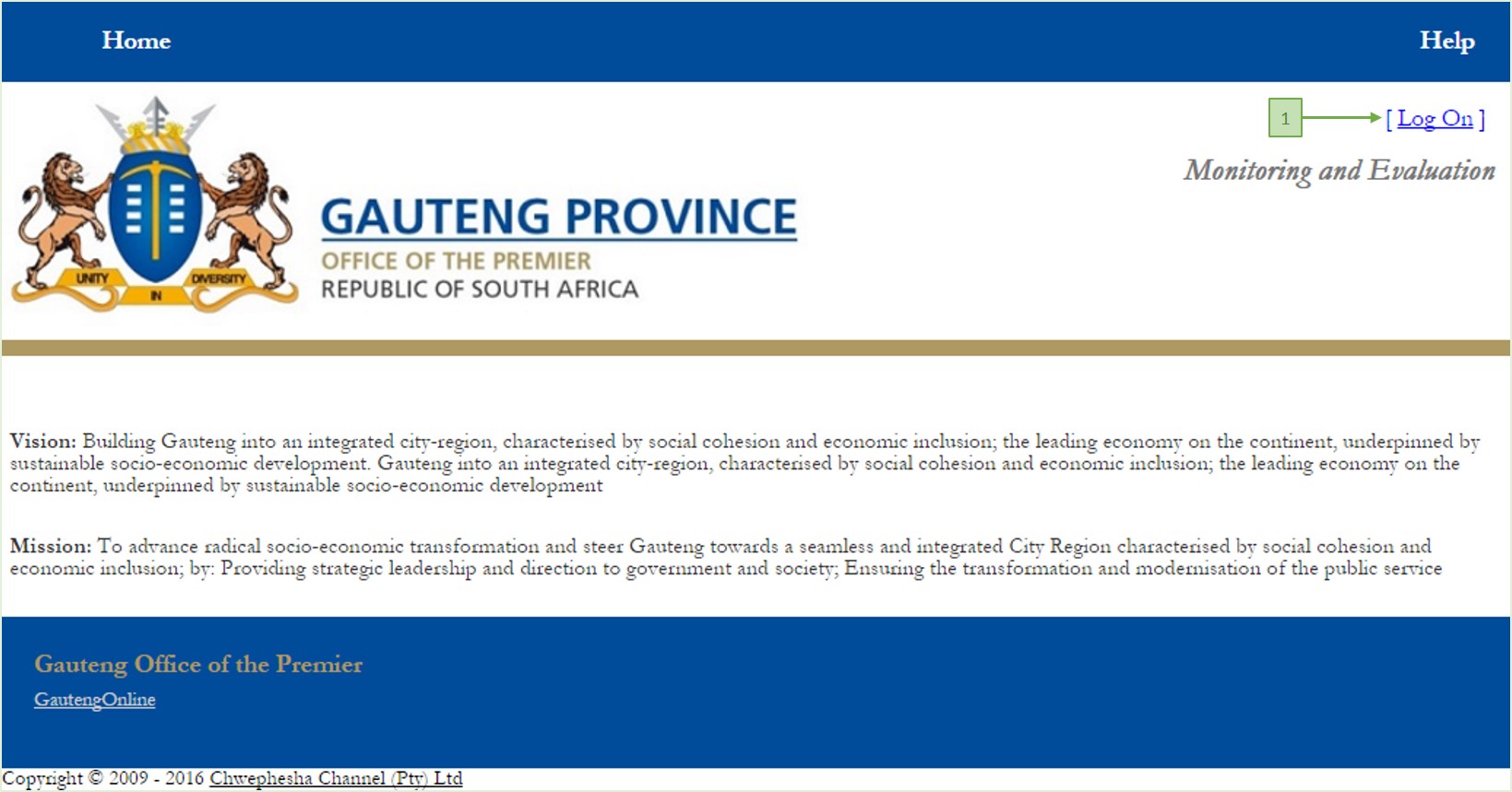
Once on the landing page, click on the Log On link (label 1 above). This opens the Log On page, as displayed by the image below
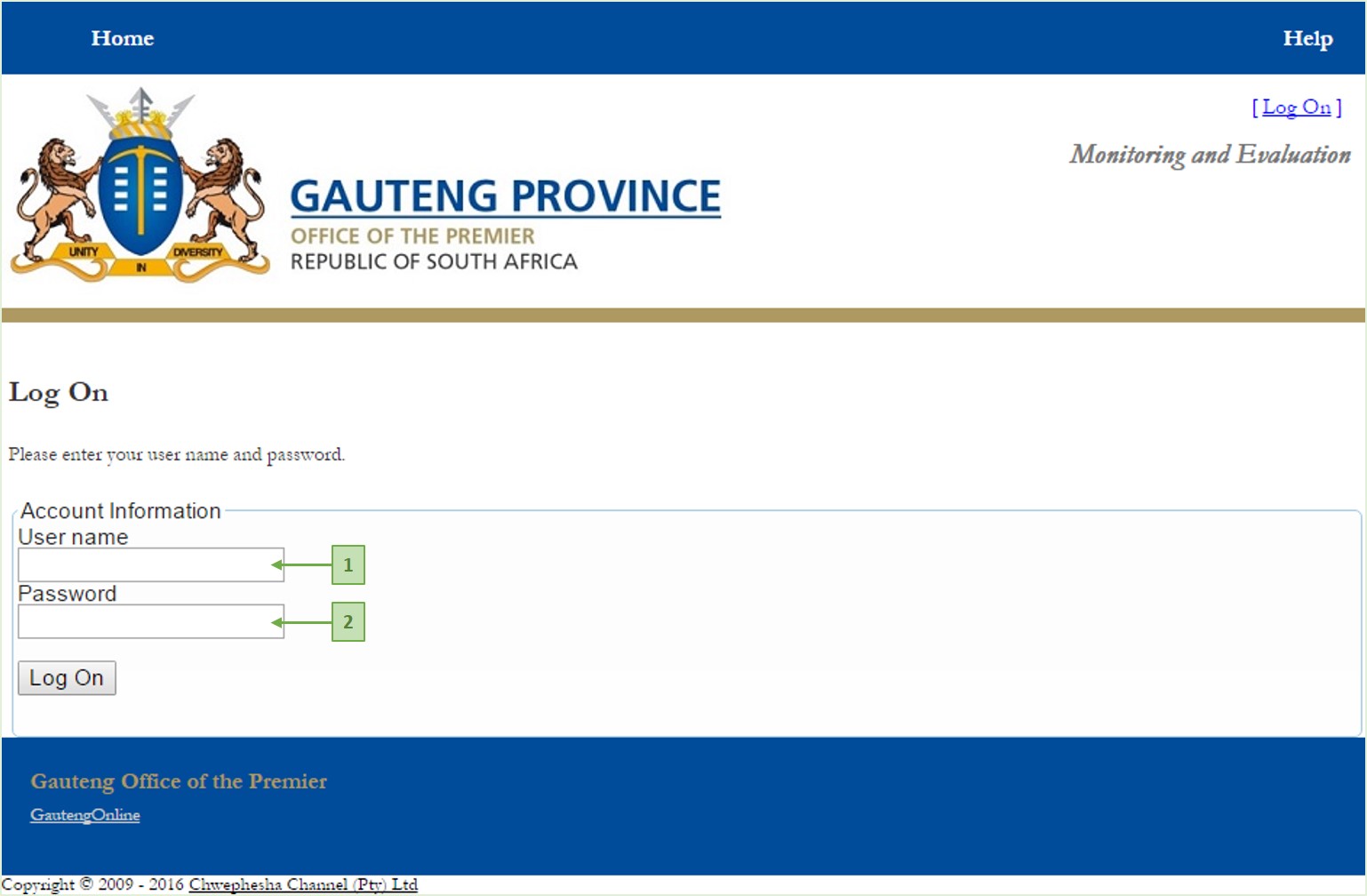
Once on the Logon Page, simply
- type in your User Name (1 above) - the User Name in most cases is the Persal Number.
- then type in your Password (2 above) - the initial password is password1
- and click Log On.
When you log in with the initial password (password1), MERMS prompts you to change it, on the Change Password page, as displayed in the image below;
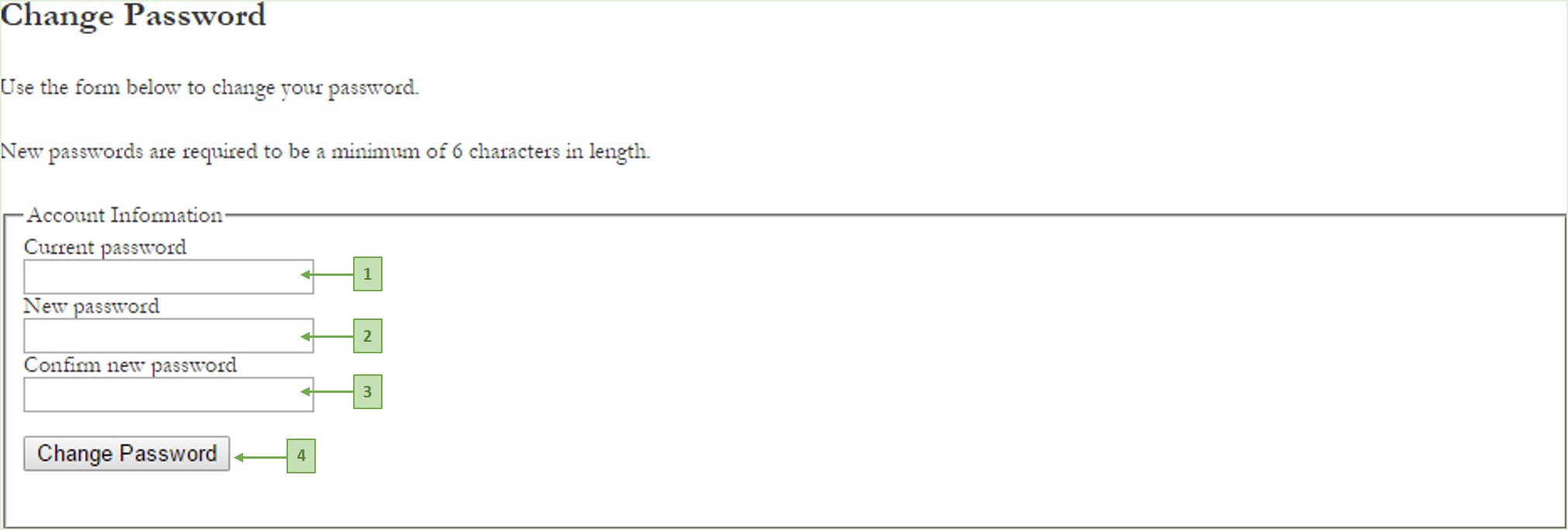
Here you supply the required information (labels 1, 2 and 3 above), and click Change Password (4 above). MERMS then confirms that your password was changed successfully, as displayed by the image below;
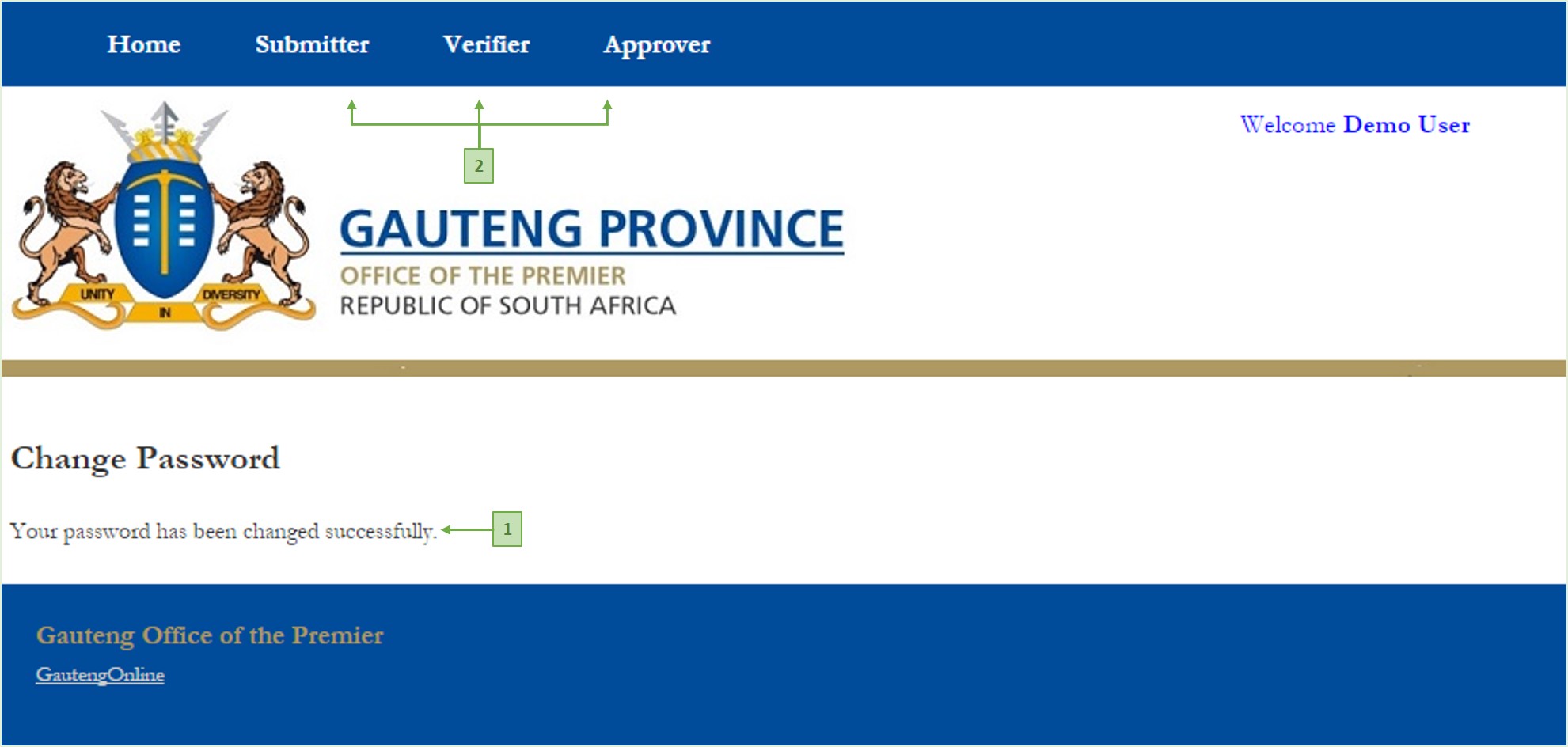
Once you have successfully changed your password (label 1 above), your user menu gets displayed on the menu bar at the top of the page (label 2 above ). Each of the menu items in the menu bar represents a role that has been assigned to you in the reporting process. Each menu item opens a Report Selection page, specific to the role it represents.